

01
Board portal: secure access to materials
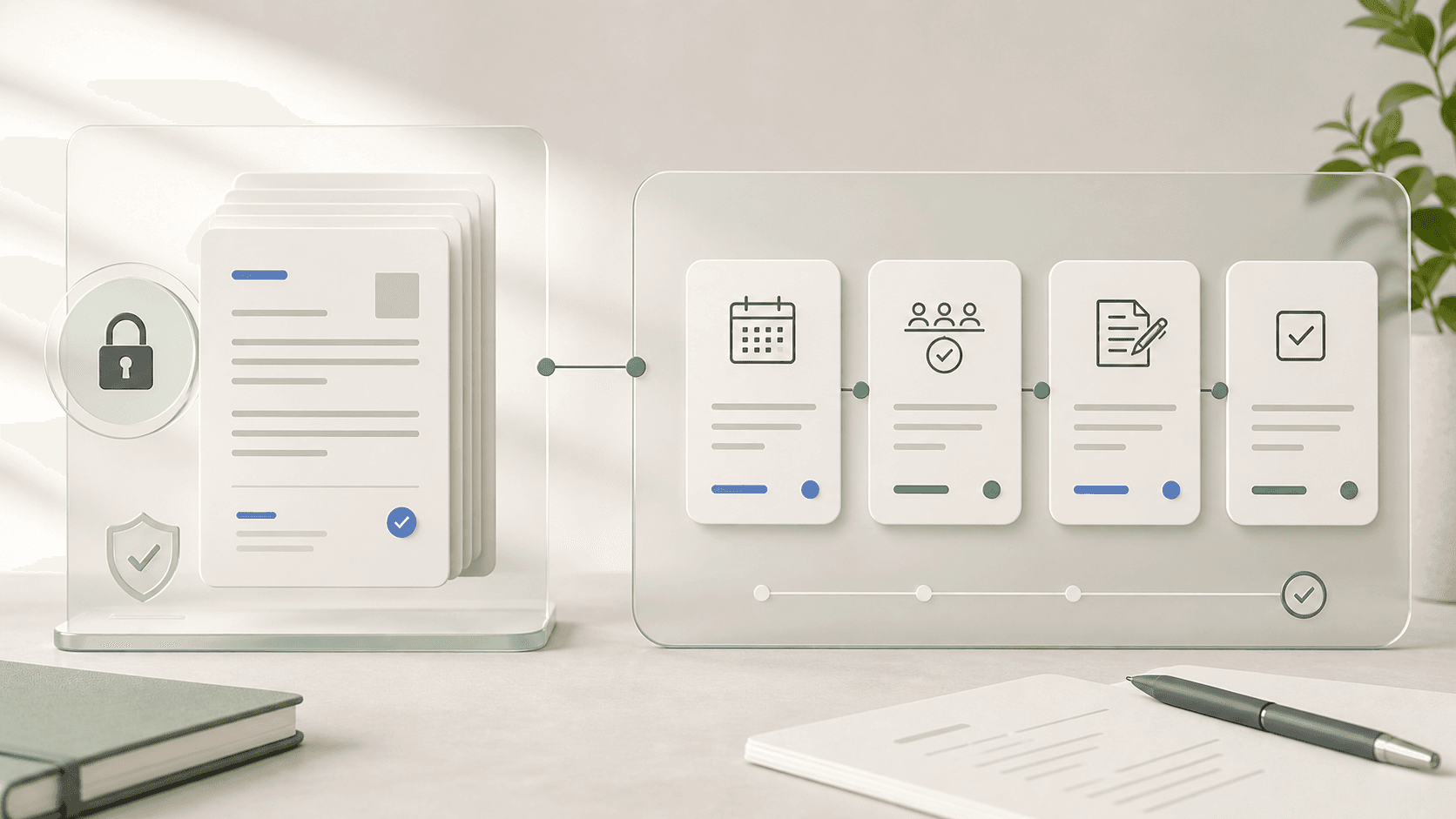
"Board portal" historically described a secure, permissioned place for directors to read board materials — agendas, financial reports, minutes — instead of receiving them as email attachments. The emphasis is on access control, encryption, and a reliable single source of truth for what was shared and when.
A portal answers the first governance question: can the right people reach the right board materials without forwarding confidential attachments around? That is still valuable, especially for boards handling financials, legal matters, investor updates, or sensitive personnel topics.
- Secure login and role-based access for directors and observers
- Board book and meeting-material distribution
- Document version control and revocation
- Basic audit visibility for file access and downloads
- Mobile or tablet access for directors reviewing materials
Where BoardKite helps
In BoardKite, that access layer includes encryption at rest for agendas, minutes, transcripts, decisions, and attachments with a per-organization key, plus control over which AI provider ever touches that data — the hosted default, your own Anthropic or OpenAI key, an Azure deployment, or a self-hosted model. Nothing goes to a provider your organization hasn't explicitly configured.
02
Board management software: the full operating cycle
"Board management software" is the broader term. It includes the secure-access piece a portal provides, but also covers agenda planning, live meeting execution, decision capture, and post-meeting action tracking — the operational rhythm of running a board, not just where the documents live.
The difference shows up after the board pack is shared. If a decision is made, minutes are approved, or an action is assigned, board management software keeps that workflow connected instead of sending the team back to email, spreadsheets, and manually edited documents.
- Agenda planning, feedback, circulation, and meeting status
- Decision, vote, and approval records tied to agenda items
- Minutes drafting, review, signatures, and retention
- Follow-up actions with owners, deadlines, and reminders
- Dashboards and search across meetings, files, decisions, and actions
Where BoardKite helps
That operating cycle is where BoardKite starts you with a first agenda draft built around open decisions and unresolved actions rather than a blank page, and keeps a board calendar of fiscal, governance, and disclosure milestones — reporting deadlines, AGMs, director elections — visible next to your meetings instead of tracked in a separate spreadsheet.
03
How the terms overlap in practice
Many vendors use both terms because buyers use both terms. A product marketed as a board portal may include decision tracking; a product marketed as board management software may still lead with secure document sharing. The label matters less than the workflow coverage.
The practical evaluation is to map the product against your actual board cycle. If the tool only helps directors read documents, it is mostly a portal. If it helps the team plan, run, approve, and follow up on the meeting, it is closer to board management software.
- Portal-first need: replace email attachments with secure board material access
- Management-first need: standardize the whole meeting and governance cycle
- Hybrid need: keep secure document access while adding minutes, approvals, and actions
- Enterprise need: combine workflow depth with SSO, permissions, audit logs, and retention
04
Why the distinction matters when evaluating tools
A vendor that only solves secure document access will leave you tracking decisions and follow-up actions manually — usually back in email or a spreadsheet, which defeats the purpose. When comparing options, ask specifically how the tool handles the agenda-to-minutes-to-action lifecycle, not just how it stores files.
This is especially important for teams that are maturing quickly. A simple portal may feel sufficient when the board meets quarterly and only needs pre-reads. It becomes limiting when committees, investor observers, approvals, and recurring action reviews enter the process.
- Can directors see what was decided, not just what was shared?
- Are follow-up actions tracked with an owner and due date automatically?
- Does the audit trail cover decisions and approvals, or only file access?
- Can minutes move from draft to approved to signed without leaving the system?
- Can committees and observers have different access from full board members?
Where BoardKite helps
BoardKite answers each of these directly: decisions and votes are recorded against their agenda item, actions carry an owner and due date automatically, security-sensitive actions are logged for audit review, minutes move from draft to approved to signed without leaving the platform, and committees or observers can get access scoped to their role.
05
Questions to ask vendors
The fastest way to separate a document portal from a governance operating system is to ask workflow questions. A strong vendor should be able to demonstrate the full path from agenda planning to approved minutes and follow-up, using realistic board data rather than abstract feature lists.
Ask the vendor to show a real cycle: prepare a board book, revise an agenda, capture a decision, draft minutes, route approval, and report on open actions before the next meeting. Gaps in that flow are the places your team will keep doing manual work.
- What happens when a board pack changes after it has been circulated?
- How are votes, approvals, recusals, and signatures recorded?
- Can actions stay linked to the decision and meeting that created them?
- Can directors search prior decisions without browsing folders?
- How does the product handle AI, transcription, and confidential board data?
- What audit evidence can we export for a legal, investor, or compliance review?
06
Which option fits your board
Choose a portal-first tool if the main problem is secure distribution of materials and the rest of the process is already mature. Choose broader board management software when the pain is coordination: late agendas, fragmented decisions, slow minutes, unclear owners, or recurring action items that never close.
Most growing boards eventually need both. Secure access is the entry point, but governance quality improves when the same system also records what happened, who approved it, and what still needs follow-through.
- Early-stage board: prioritize fast setup, secure sharing, agendas, and action tracking
- Investor-backed company: prioritize board packs, decision traceability, and observer access
- Nonprofit board: prioritize continuity, trustee access, minutes, and transparent follow-up
- Formal or regulated board: prioritize SSO, audit logs, retention, signatures, and controls